
What Is Project Time Management?
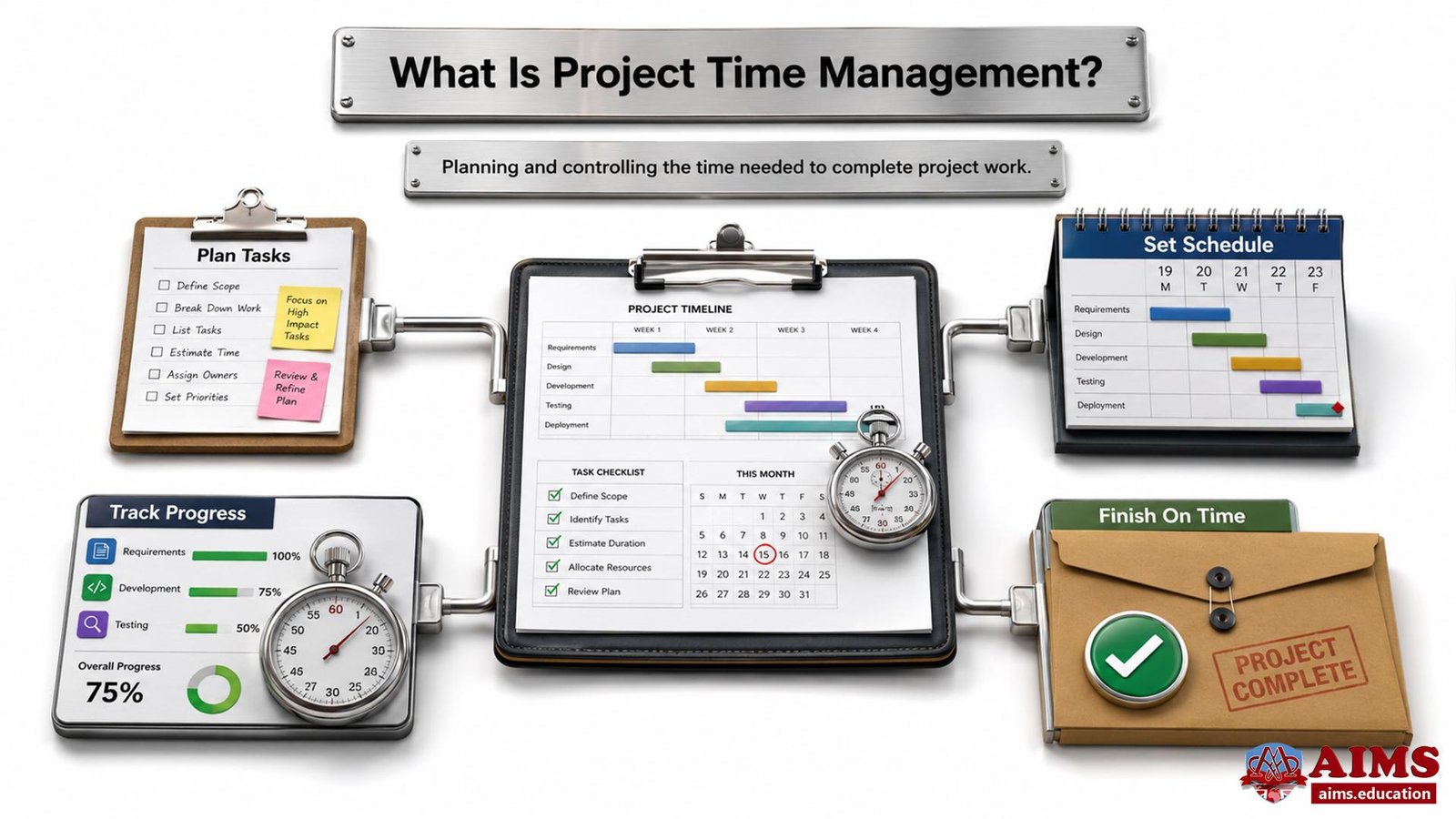
Project time management is the discipline of defining, sequencing, estimating, scheduling, and controlling project activities so the project can be completed on time. It turns scope into timed work, links tasks through dependencies, assigns realistic durations, and gives the project manager a schedule baseline for tracking progress, delays, resources, and corrective action.
Project time management begins with the project scope, breaks that scope into activities, places activities in a logical sequence, estimates the resources and durations required, develops the schedule, and controls schedule performance during execution.
In practice, time management in project management is not simply about working faster. It is about understanding what must be done, in what order, by whom, with which resources, and within which approved time frame. A strong time plan gives the project team a shared route map before execution begins.
The discipline is closely connected with scope, cost, quality, resources, risk, and stakeholder expectations.
- When the schedule is weak, even a technically good project can become expensive, stressful, and difficult to defend.
- When the schedule is realistic, monitored, and controlled, the project has a much stronger chance of being delivered with confidence.
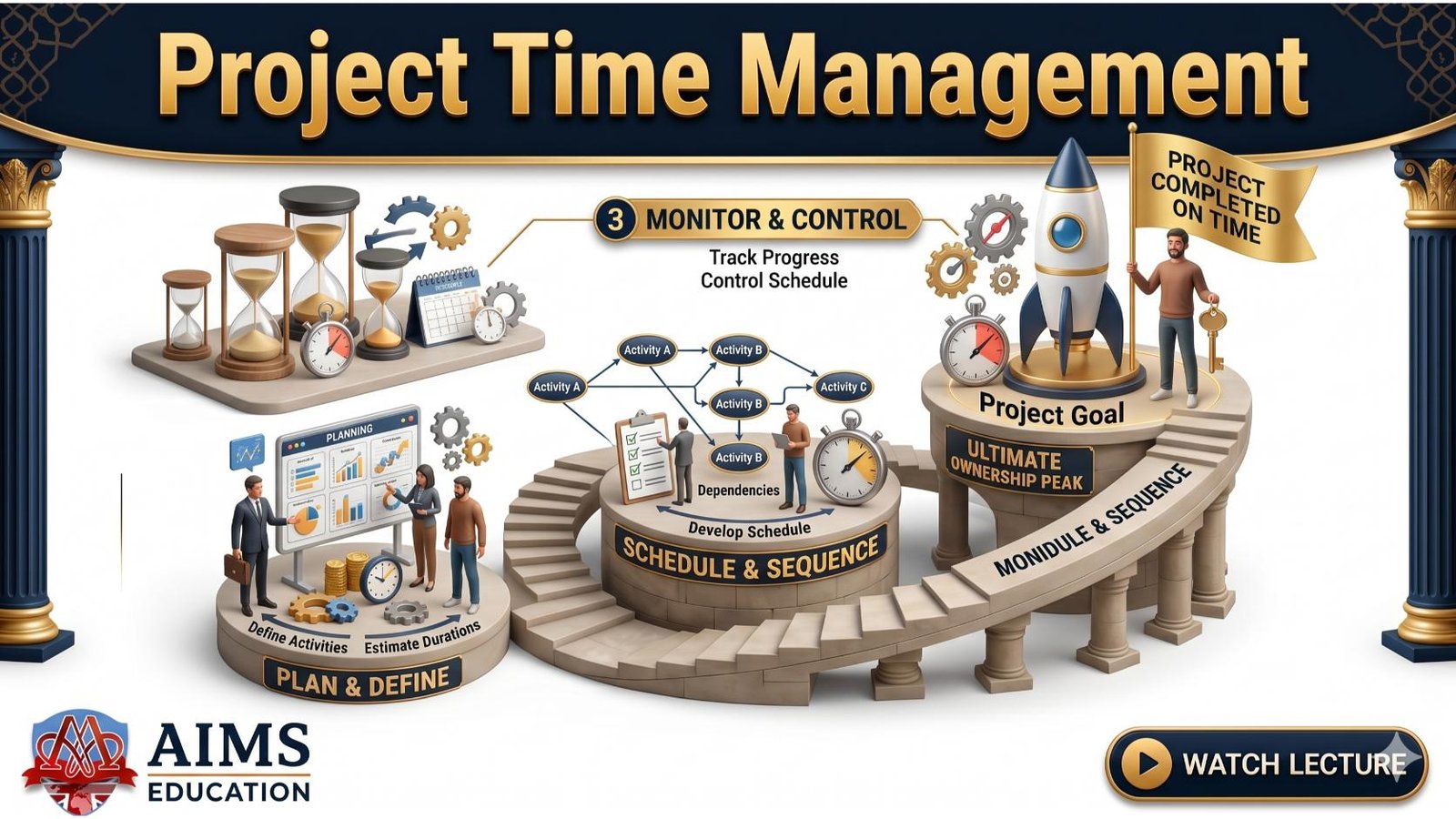
The project time management process has four practical parts:
- The project manager identifies the activities needed to produce the agreed deliverables.
- The project team determines the logical order of activities and the dependencies between them.
- The team estimates the resources and duration required for each activity.
- The approved project schedule becomes the baseline for monitoring, control, and corrective action.
For a learner, the meaning of project time management is easiest to understand as the bridge between the project scope and the project calendar.
- Scope tells us what must be delivered.
- Time management tells us when and how the work should happen.
Project Time Management vs Personal Time Management
Project time management manages the time of a project, while personal time management manages the time of an individual. The difference important because a project schedule is not a personal to-do list. It is a coordinated plan involving dependencies, resources, milestones, constraints, risks, approvals, and stakeholder commitments.
- Personal time management focuses on individual productivity, priorities, habits, and daily task control.
- Project time management focuses on coordinated work across teams, phases, resources, deliverables, and deadlines.
- Personal time management may depend on one person’s discipline, while project time management depends on shared planning and team execution.
- Project time management must account for dependencies, such as one activity finishing before another can begin.
For example, a project manager may personally plan the day well, but the project can still be late if a supplier approval, design review, or testing activity is delayed.
Project Time Management vs Project Schedule Management
Project time management and project schedule management are closely related, but project schedule management is the more schedule-focused expression of the same core discipline. Project time management is often used as a broader teaching term, while project schedule management emphasizes creating, maintaining, and controlling the schedule model.
| AREA | PROJECT TIME MANAGEMENT | PROJECT SCHEDULE MANAGEMENT |
|---|---|---|
| Main focus | Managing the timely completion of project work. | Developing, maintaining, and controlling the project schedule. |
| Teaching emphasis | Time, duration, sequencing, deadlines, and completion. | Schedule model, baseline, monitoring, forecasting, and change control. |
| Practical output | A realistic time plan for project activities. | An approved and controlled project schedule. |
| Best use | Explaining the full time-planning discipline to students and practitioners. | Managing formal schedule documents and schedule performance. |
In simple terms, project time management explains the full logic of managing time, while schedule management gives that logic a formal planning and control structure.
Time Management in Project Management – Key Importance
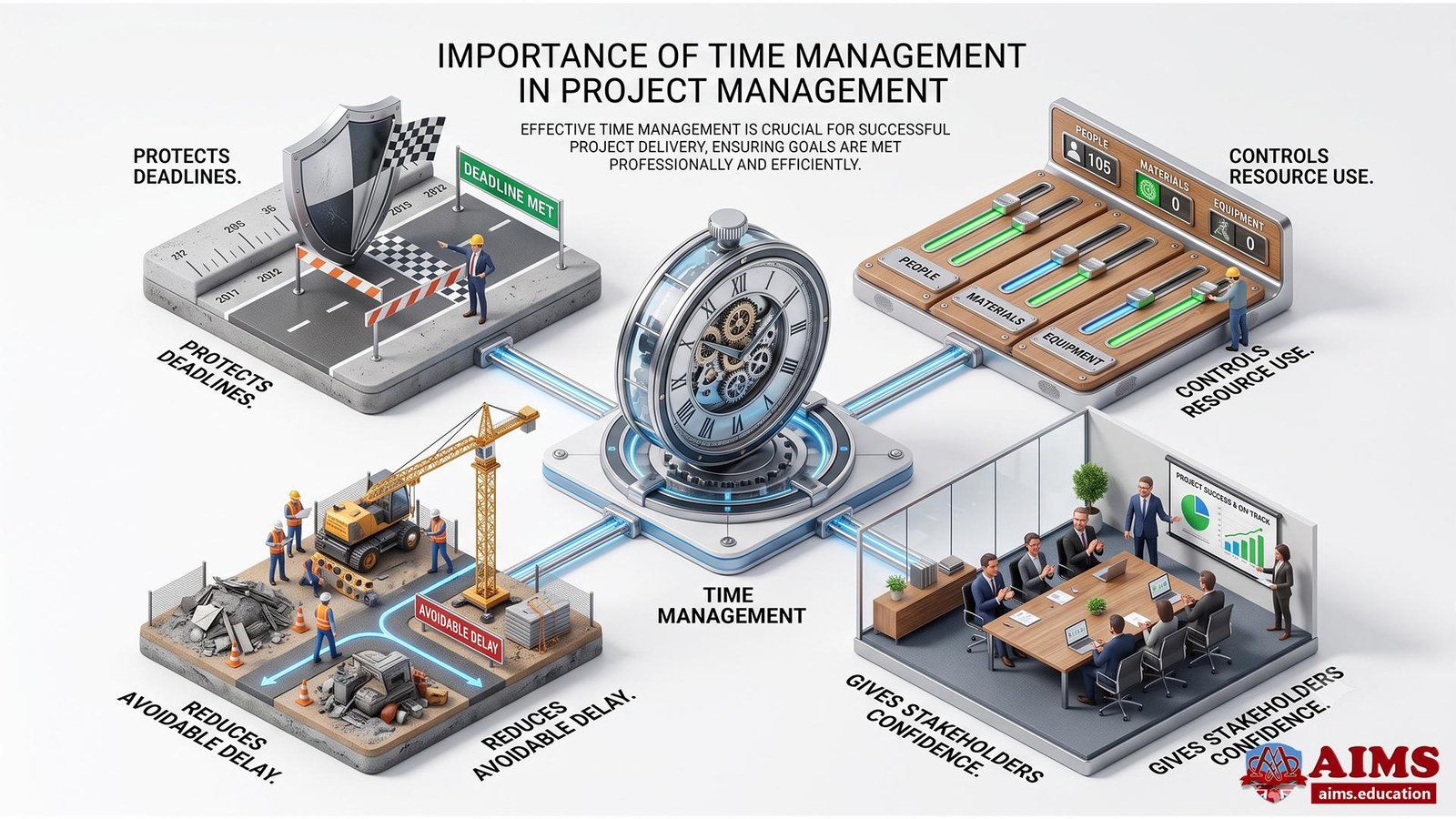
Time management in project management is important because it protects deadlines, controls resource use, reduces avoidable delay, and gives stakeholders confidence that the project is being managed professionally. A project without time discipline becomes reactive. A project with time discipline becomes easier to plan, monitor, explain, and correct.
Meeting Deadlines
Deadlines are met when project activities are clearly defined, logically sequenced, realistically estimated, and actively controlled. A final project deadline is not managed at the end. It is protected from the beginning through careful activity planning.
- The team must know exactly which activities are required to produce each deliverable.
- The project manager must understand which tasks depend on earlier tasks.
- The schedule must show when each activity should start and finish.
- The team must monitor progress before small delays become major project slippage.
For example, a training platform launch may require content upload, system testing, learner access setup, payment integration, and quality review. If testing starts late, the launch date may become unrealistic even if the development team worked hard.
Controlling Cost and Resources
Time control supports cost control because late activities often consume extra labor, overtime, equipment, and management attention. When time estimates are poor, resource planning also becomes weak.
Estimating activity resources includes people, equipment, supplies, materials, software, hardware, and other physical resources required to complete the work. This is important because activity duration depends partly on the quantity, capability, and availability of assigned resources.
Students studying through a well-recognized and accredited project management diploma should therefore treat time and resources as connected planning decisions, not as separate administrative tasks.
Reducing Project Delays
Project delays are reduced when dependencies, risks, resource calendars, and schedule assumptions are identified before execution begins. Most serious delays are not caused by the calendar itself. They are caused by missing logic in the schedule.
- A mandatory dependency can delay the project when the physical nature of work requires one activity to finish first.
- An external dependency can delay the project when a supplier, regulator, customer, or third party must act before the project can proceed.
- A resource constraint can delay the project when a key person, machine, system, or material is not available when needed.
- A weak estimate can delay the project when the original duration was never realistic.
This is why schedule planning should begin with a clear understanding of project scope management and deliverable boundaries. A vague scope produces vague activities, and vague activities produce unreliable schedules.
Improving Stakeholder Confidence
Stakeholder confidence improves when the project schedule is clear, approved, monitored, and explained in practical terms. Stakeholders do not need every technical detail, but they do need to understand the planned dates, major milestones, risks, dependencies, and likely impact of changes.
A schedule that has been approved by stakeholders and functional managers also creates shared accountability. It shows that the dates and resource commitments have been reviewed, understood, and accepted.
For professionals moving into larger planning and leadership roles, this skill becomes especially valuable in job-oriented MBA project management degree program, where schedule decisions are linked with strategy, governance, risk, and organizational performance.
Project Time Management Process
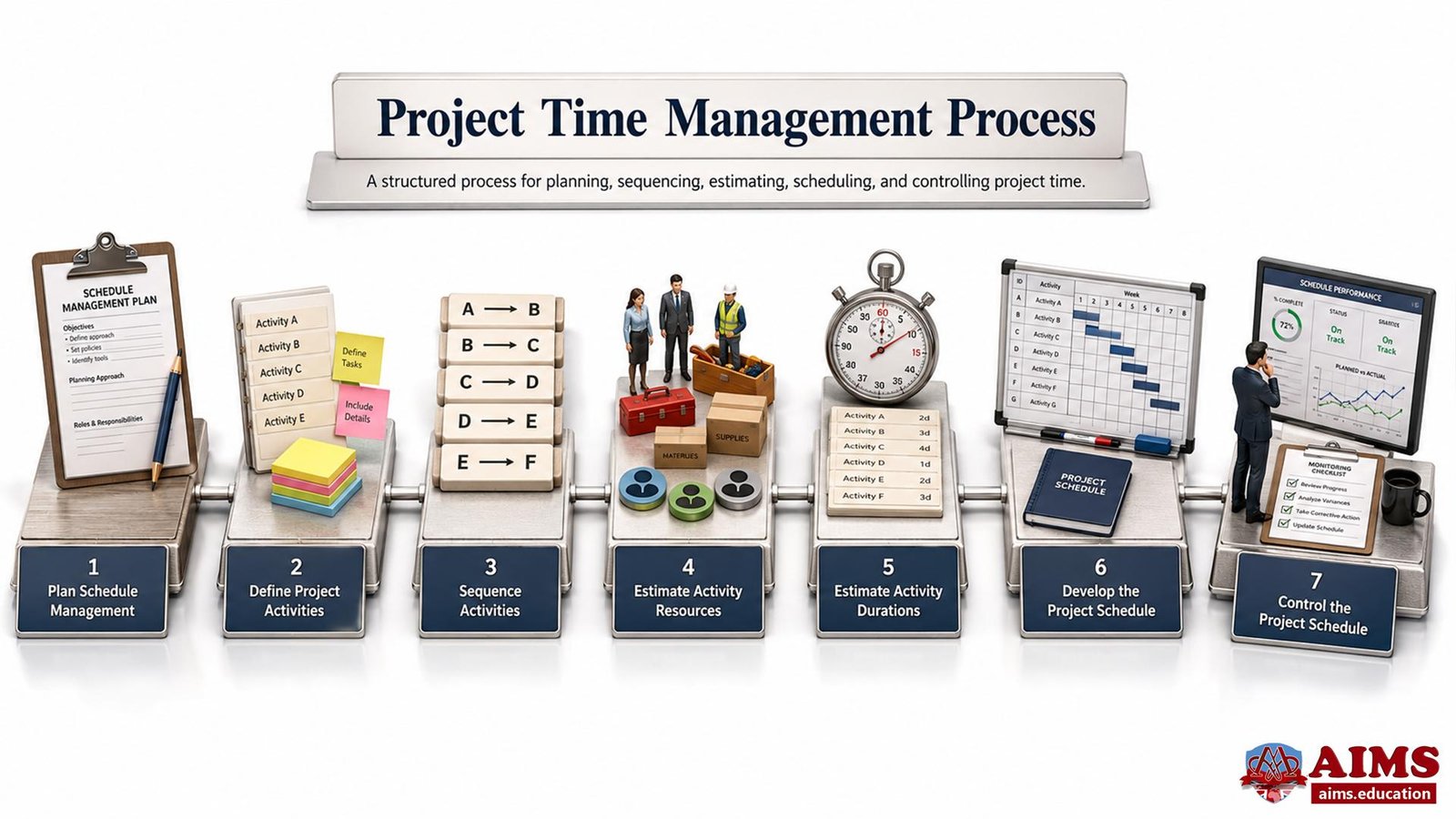
The project time management process turns project scope into a controlled project schedule. The process begins by deciding how the schedule will be managed, then defining activities, sequencing them, estimating resources and durations, developing the schedule, and controlling it during execution.
The main stages are:
- Plan schedule management.
- Define project activities.
- Sequence activities.
- Estimate activity resources.
- Estimate activity durations.
- Develop the project schedule.
- Control the project schedule.
Plan Schedule Management
Plan schedule management defines how the project schedule will be planned, developed, monitored, and controlled. It is the rule-setting step. Before the team estimates dates, it should agree how scheduling decisions will be made.
- The project manager decides which scheduling method, software, calendars, and reporting format will be used.
- The team agrees how activity durations will be estimated and validated.
- The project manager defines how schedule changes will be reviewed and approved.
- The schedule management approach clarifies how progress will be measured and reported.
This step prevents confusion later. To be honest, many schedule problems begin because the team starts assigning dates before agreeing how the schedule will be built.
Define Project Activities
Defining project activities means breaking work packages into smaller, manageable units of work that can be estimated, scheduled, executed, monitored, and controlled. These activities are not the final deliverables themselves. They are the actions required to produce the deliverables.
Define Activities process is a further breakdown of the work package elements of the WBS. In practical language, the work breakdown structure in project management helps the project manager move from deliverables to schedule-ready activities.
Useful outputs of this step include:
- The activity list, which contains all schedule activities required for the project.
- Activity attributes, which describe each activity’s characteristics, identifiers, assumptions, dependencies, constraints, and resource information.
- The milestone list, which records major project events or accomplishments with zero duration.
Example of Defining Activities in a Website Project
Aisha manages a website redesign project for a training company. The deliverable is a new admissions page. She breaks it into schedule activities:
- The content writer prepares the page copy in two working days.
- The designer creates the page layout in three working days.
- The developer builds the page in four working days.
- The quality reviewer tests links, forms, speed, and mobile display in two working days.
- The project sponsor approves the final page before publication.
This breakdown makes the work schedulable, assignable, and measurable before the team begins execution.
Sequence Activities
Sequencing activities means placing project activities in a logical order and identifying the dependencies between them. It answers a simple but critical question: which activity must happen before, after, or alongside another activity?
There are three important dependency categories:
- Mandatory dependencies are required by law, contract, or the physical nature of the work. A foundation must be completed before the superstructure can be built.
- Discretionary dependencies are chosen by the project team based on preferred logic, best practice, or previous experience.
- External dependencies come from outside the project, such as regulatory approval, supplier delivery, client sign-off, or third-party testing.
Sequencing is often represented through network diagrams. A project schedule network diagram shows the logical relationships between activities and helps the team understand which work can proceed in parallel and which work must wait.
Precedence Diagramming Method
The precedence diagramming method represents activities as nodes and connects them with arrows to show dependencies. This method is also known as activity-on-node and is widely used in project scheduling tools.
The four common logical relationships are:
- Finish-to-start: The predecessor must finish before the successor can start. This is the most common relationship.
- Start-to-start: The predecessor must start before the successor can start.
- Finish-to-finish: The predecessor must finish before the successor can finish.
- Start-to-finish: The predecessor must start before the successor can finish. This relationship is rarely used.
Leads and Lags in Project Time Management
A lead allows a successor activity to start before the predecessor is fully complete, while a lag inserts waiting time between activities. Leads and lags help the project manager make the schedule more realistic.
- A lead exists when coding starts five days before the design activity is fully completed.
- A lag exists when painting must wait two days after primer is applied so the primer can dry properly.
- Leads can shorten the schedule but may increase coordination risk.
- Lags can protect quality but may extend the schedule duration.
Actually, many project delays come from hidden lags. The team records the task duration but forgets the waiting time between tasks.
Estimate Activity Resources
Estimating activity resources means determining the type and quantity of resources needed for each scheduled activity. Resources include people, equipment, materials, supplies, software, hardware, and specialist services.
This step is important because time depends on resource availability. A task may take three days with two experienced engineers, but six days with one junior engineer. A construction activity may be delayed not because labor is missing, but because the only required machine is assigned to another project.
Common tools and techniques include:
- Expert judgment: Experienced team members help estimate realistic resource needs.
- Alternatives analysis: The team compares different ways to complete an activity, such as using senior or junior staff, internal or external resources, or manual or automated methods.
- Published estimating data: The project manager uses organizational or industry data such as production rates, vendor rates, or standard effort ranges.
- Bottom-up estimating: The team estimates resource needs for each detailed activity and then rolls them up into a total.
- Project management software: Scheduling tools help organize resource pools, resource calendars, and utilization.
Estimate Activity Durations
Estimating activity durations means calculating the number of work periods needed to complete each activity. Work periods may be expressed in hours, days, weeks, or months, depending on the nature and scale of the project.
A good duration estimate includes the elapsed time from the beginning of the activity until the work is complete. For example, if a task requires three working days but includes one non-working day in the middle, the calendar duration may be four days.
The main duration estimating techniques are:
- Expert judgment: The people who understand the work provide estimates based on experience, but their judgment should be checked for bias.
- Analogous estimating: The team uses the actual duration of a similar previous activity or project as a guide.
- Parametric estimating: The team multiplies a known unit quantity by a known rate, such as 10,000 meters of cable divided by 100 meters per hour.
- Three-point estimating: The team uses optimistic, most likely, and pessimistic estimates to account for uncertainty.
- Reserve analysis: The team adds time reserves for identified or unidentified schedule risks.
PERT Formula in Project Time Management
PERT improves duration estimating by using three estimates instead of one fixed estimate. It is useful when uncertainty is high or historical schedule data is limited.
PERT estimate = (Optimistic time + 4 x Most likely time + Pessimistic time) / 6.
Suppose an activity has these estimates:
- Optimistic time is 15 days.
- Most likely time is 20 days.
- Pessimistic time is 30 days.
The PERT estimate is calculated as follows:
- PERT estimate = (15 + 4 x 20 + 30) / 6.
- PERT estimate = (15 + 80 + 30) / 6.
- PERT estimate = 125 / 6.
- PERT estimate = 20.83 days.
This gives the project manager a more balanced estimate than simply choosing the most optimistic or most pessimistic number.
Develop the Project Schedule
Developing the project schedule means assigning planned start and finish dates to activities after considering dependencies, resources, calendars, durations, and constraints. This is where the earlier planning work becomes a usable schedule.
Develop Schedule is the heart of the planning process because it lays out project activities, determines their start and finish dates, and finalizes sequences and durations. Once approved, the schedule becomes the baseline for tracking and control.
Common schedule outputs include:
- The project schedule, showing activity dates, resource assignments, and planned sequence.
- The schedule baseline, which is the approved version used for performance tracking.
- Schedule data, which supports the schedule with milestones, activity attributes, assumptions, and constraints.
- Project calendars, which show working days, shifts, and non-working periods.
- Project document updates, such as updates to resource requirements, activity attributes, calendars, and risk records.
How to Create a Project Schedule
A project schedule is created by linking scope, activities, dependencies, resources, durations, calendars, and approval into one controlled schedule model. The basic sequence is simple, but it must be done carefully.
- Confirm the project scope and deliverables.
- Break deliverables into work packages and activities.
- Identify milestones and major approval points.
- Sequence activities using dependencies and logical relationships.
- Estimate resources and confirm resource calendars.
- Estimate activity durations using suitable estimating methods.
- Build the schedule using a scheduling tool or structured schedule model.
- Review the schedule with stakeholders and functional managers.
- Approve the schedule baseline.
- Track performance against the baseline during execution.
The strongest project schedules are built from real work logic, not from dates guessed to satisfy a desired deadline.
Control the Project Schedule
Controlling the project schedule means tracking actual progress against the schedule baseline and taking corrective action when performance varies from the plan. It is the monitoring and correction stage of project time management.
Schedule control usually includes:
- Measuring work performance and schedule variance.
- Comparing actual progress with planned start and finish dates.
- Using trend analysis, critical path review, earned value measures, and scheduling software.
- Reviewing the impact of schedule changes before approving them.
- Updating the schedule baseline or schedule management plan only through proper change control.
Weak schedule control is dangerous because the team may continue working while the project is already drifting away from the approved completion date.
Project Time Management Tools and Techniques
Project time management tools help the project manager visualize activities, calculate durations, analyze dependencies, compress schedules, allocate resources, and monitor performance. The tool is useful only when it supports real planning judgment. Software cannot repair unclear scope, weak estimates, or hidden dependencies.
Gantt Chart
A Gantt chart is a bar chart that displays project activities against time. It usually shows activity start dates, finish dates, duration, progress, dependencies, and sometimes assigned resources.
Gantt charts are popular because they are easy to read. They help stakeholders quickly see when work starts, when it finishes, and how activities overlap. A practical Gantt chart in project management is especially useful for communicating the schedule to non-technical stakeholders.
Example of a Gantt Chart Use
Omar manages an event project with four main activities:
- Venue booking starts on 1 March and finishes on 5 March.
- Supplier contracting starts on 4 March and finishes on 12 March.
- Marketing campaign starts on 8 March and finishes on 25 March.
- Final rehearsal takes place on 28 March.
The Gantt chart shows overlaps clearly, so Omar can explain the schedule without forcing every stakeholder to read a network diagram.
Critical Path Method
The critical path method identifies the longest path of dependent activities and shows the shortest time in which the project can be completed. Activities on the critical path have zero float, which means a delay in any critical activity can delay the whole project.
CPM calculates early start, early finish, late start, and late finish dates. It also determines float time. Activities with zero float are critical path tasks.
The critical path method in project management is especially useful when a project has many dependencies and the project manager must know which activities require the closest attention.
Critical Path vs Gantt Chart
The critical path method calculates schedule logic, while a Gantt chart communicates schedule timing visually. They are not competitors. They solve different scheduling problems.
| COMPARISON POINT | CRITICAL PATH METHOD | GANTT CHART |
|---|---|---|
| Main purpose | Identifies the longest path and activities that cannot be delayed. | Shows activities on a calendar timeline. |
| Best for | Analyzing dependencies, float, and project completion time. | Communicating schedule dates, activity progress, and overlaps. |
| Key output | Critical path, float, early and late start and finish dates. | Visual schedule with bars, dates, and progress. |
| Management value | Helps the project manager focus on delay-sensitive activities. | Helps stakeholders understand the project timeline quickly. |
PERT Chart
A PERT chart supports time estimation and schedule analysis when activity durations are uncertain. It uses optimistic, most likely, and pessimistic estimates to calculate a weighted expected duration.
PERT is useful when the project team has limited historical data or when tasks involve uncertainty. It does not remove risk, but it makes uncertainty visible and calculable.
Milestone Chart
A milestone chart shows key project events or accomplishments rather than every detailed activity. Milestones have zero duration because they mark a moment in time, such as charter approval, prototype completion, testing sign-off, or final delivery acceptance.
Milestone charts are useful for executive reporting. They give senior stakeholders a clean view of major progress points without overwhelming them with operational details.
Project Schedule Network Diagram
A project schedule network diagram shows the logical relationships between project activities. It is useful for identifying dependencies, leads, lags, paths, and sequence logic before dates are finalized.
Network diagrams are especially helpful when the schedule contains complex technical or construction work. They reveal whether the planned sequence is physically and logically possible.
Schedule Compression
Schedule compression shortens the project schedule without reducing project scope. It is used when the project must meet a deadline, recover from delay, or achieve an imposed completion date.
There are two major schedule compression techniques:
- Crashing shortens the schedule by adding resources, approving overtime, or paying for faster delivery, usually on critical path activities.
- Fast tracking shortens the schedule by performing activities in parallel that were originally planned in sequence.
On the other hand, compression is not free. Crashing can increase cost, and fast tracking can increase rework, coordination problems, and risk.
Crashing and Fast Tracking
Crashing spends more to save time, while fast tracking overlaps work to save time. The choice depends on the cause of delay, the critical path, risk tolerance, and stakeholder priorities.
Example of Crashing
A construction project is five days behind because the electrical work on the critical path is delayed. The project manager approves overtime and adds another qualified electrician for three days.
- The extra labor increases cost.
- The electrical activity finishes earlier than it would have under the original resource plan.
- The project recovers part of the lost time without reducing the required scope.
Crashing is useful when extra resources can genuinely shorten a critical activity.
Example of Fast Tracking
A software project is at risk of missing its release date. The original plan required all development to finish before documentation began. The project manager allows documentation to begin after the first stable module is ready.
- The documentation team starts earlier than planned.
- Development and documentation overlap for part of the schedule.
- The release may finish sooner, but documentation may require updates if the software changes.
Fast tracking can save time, but it should be used carefully because overlap can create rework.
Resource Leveling and Resource Smoothing
Resource leveling and resource smoothing adjust the schedule to improve resource use. Both techniques deal with resource constraints, but they do not affect the schedule in the same way.
- Resource leveling changes activity dates to resolve over-allocation or unavailable resources, even if the project finish date is affected.
- Resource smoothing adjusts activities within available float so resources are used more evenly without changing the project finish date.
For example, if one database specialist is assigned to three tasks in the same week, resource leveling may move one task later. Resource smoothing may shift a non-critical activity within its float so the specialist’s workload becomes manageable.
Project Scheduling Software
Project scheduling software helps organize activities, dependencies, resource calendars, duration estimates, baselines, progress tracking, and reporting. It is valuable because schedule models can become too complex to manage manually.
However, the software should support professional judgment, not replace it. A poor activity list, unrealistic estimate, or missing dependency will still produce a poor schedule, even in an advanced tool.
Project Time Management Examples
Project time management examples show how schedule logic changes across industries while the core process remains the same. Whether the project is construction, software, events, or supply chain improvement, the project manager still defines activities, sequences work, estimates time, develops the schedule, and controls performance.
Construction Project Example
In a construction project, project time management controls physical sequencing, resource availability, inspections, weather exposure, and contractor coordination. Many dependencies are mandatory because one physical activity must be completed before another can begin.
Suppose Noor Construction is building a small training center. The project manager identifies these activities:
- The site team clears the land in five days.
- The civil team prepares the foundation in ten days.
- The structure team completes the frame in fifteen days.
- The electrical team starts rough wiring after the frame is ready.
- The inspection authority approves wiring before interior finishing begins.
- The finishing team completes painting, flooring, and fixtures in twelve days.
The foundation and frame activities are mandatory dependencies. The inspection approval is an external dependency. If the inspection is delayed, the finishing team may not start on time.
Clear dependency planning protects the construction schedule from unrealistic sequencing and avoidable idle time.
Software Development Project Example
In a software development project, project time management coordinates design, coding, testing, documentation, review, and release activities. Some activities may overlap, but the project manager must understand the rework risk.
Suppose Digital Bridge Ltd. is developing a learner dashboard:
- The business analyst defines user requirements in four days.
- The UI designer creates interface screens in six days.
- The developer begins coding stable screens while final design refinements continue.
- The tester prepares test cases while development is in progress.
- The quality team performs final acceptance testing after integration.
- The product owner approves the release before deployment.
This example uses a lead because coding can begin before every design detail is finished. The benefit is faster progress. The risk is that late design changes may cause rework.
A realistic software schedule balances speed with change control and testing discipline.
Event Management Project Example
In event management, project time management protects fixed dates because the event date usually cannot move. This makes schedule control extremely important.
Suppose Sara is managing a professional conference scheduled for 30 June:
- The venue must be booked by 10 April.
- Speakers must be confirmed by 25 April.
- Marketing must begin by 1 May.
- Registration must open by 5 May.
- Printing must start by 10 June.
- Final rehearsal must happen one day before the event.
If speaker confirmation is delayed, marketing materials may also be delayed. If printing starts late, badges and programs may not be ready for the event.
In event projects, milestone tracking is often more useful than detailed task lists for senior stakeholders.
Supply Chain Project Example
In a supply chain project, project time management coordinates suppliers, logistics, inventory, system updates, and operational cutover. External dependencies are common because vendors and transport partners influence the project timeline.
Suppose Horizon Foods is implementing a warehouse barcode system:
- The operations team maps current warehouse processes in five days.
- The procurement team orders barcode scanners in seven days.
- The software team configures inventory codes in ten days.
- The supplier delivers scanners after twelve calendar days.
- The warehouse team receives training over three days.
- The project team conducts a pilot run before full deployment.
The scanner delivery is an external dependency. If delivery is late, training and pilot testing may also move. The project manager should monitor supplier dates closely and maintain contingency options.
Supply chain schedules become stronger when supplier risks are tracked early and communicated clearly.
Common Project Time Management Mistakes
Common project time management mistakes usually come from weak scope clarity, unrealistic estimates, ignored dependencies, missing baselines, poor monitoring, and weak change control. These mistakes are preventable when the project manager treats scheduling as a disciplined planning and control process.
Unrealistic Duration Estimates
Unrealistic duration estimates create false confidence and early schedule failure. They often happen when the project manager accepts optimistic guesses without checking resource availability, historical data, complexity, or risk.
- The team may estimate based on best-case conditions only.
- The estimate may ignore review time, approval time, waiting time, and rework.
- The project manager may fail to include non-working days or resource calendar limits.
- The schedule may be built to satisfy a promised deadline rather than real task logic.
Better estimates use expert judgment, analogous data, parametric logic, three-point estimates, and reserve analysis where appropriate.
Ignoring Task Dependencies
Ignoring task dependencies causes schedules to look faster than they can realistically be executed. This is one of the most damaging schedule mistakes.
For example, a team cannot begin user acceptance testing before a usable system version is ready. A contractor cannot install fixtures before the required surface work is complete. A marketing team cannot announce confirmed speakers before speakers have accepted.
Dependency logic should be visible in the schedule model, not hidden in someone’s memory.
No Schedule Baseline
A project without a schedule baseline has no approved reference point for measuring delay or progress. The baseline is the approved version of the schedule against which actual performance is tracked.
- Without a baseline, the team cannot clearly measure schedule variance.
- Without a baseline, stakeholders may disagree about whether the project is late.
- Without a baseline, schedule changes may happen informally and weaken accountability.
The schedule baseline should be approved and controlled, not casually overwritten whenever the plan becomes uncomfortable.
Weak Schedule Monitoring
Weak schedule monitoring allows small delays to become serious delays before the project manager reacts. Monitoring should be frequent enough to detect slippage early.
Effective monitoring includes:
- Comparing planned dates with actual progress.
- Reviewing critical path activities more frequently than low-risk tasks.
- Checking whether delayed tasks affect successor activities.
- Updating forecasts based on current performance.
- Communicating schedule issues before stakeholders are surprised.
Schedule monitoring is not a reporting ritual. It is a management control system.
Poor Change Control
Poor change control damages project time management because every approved scope or resource change can affect the schedule. A small change may create a large delay if it affects the critical path.
Before approving a change, the project manager should ask:
- Which activities will be added, removed, or changed?
- Will the change affect the critical path?
- Will extra resources be required?
- Will the schedule baseline need formal revision?
- Will stakeholders accept the time impact?
Change control protects the project from silent schedule expansion.
Best Practices for Managing Project Time
The best practices for managing project time are to start with clear scope, build a realistic schedule, track progress frequently, manage risks early, and communicate schedule information clearly. Good time management is not a one-time planning event. It is a continuous discipline from initiation to closure.
Start with Clear Scope
Clear scope is the foundation of reliable project time management. The project manager cannot build a dependable schedule if the deliverables, boundaries, exclusions, and acceptance expectations are unclear.
- The team should confirm what deliverables must be produced.
- The project manager should clarify what is excluded from the project.
- The WBS should convert deliverables into structured work packages.
- Activity definition should then convert work packages into schedulable tasks.
When scope is vague, schedule estimates become guesses. When scope is clear, activity planning becomes much more reliable.
Build a Realistic Schedule
A realistic schedule is built from actual work logic, not from wishful dates. It should reflect dependencies, resources, calendars, durations, risks, assumptions, and approval cycles.
Practical schedule-building rules include:
- Use the activity list as the foundation of the schedule.
- Validate dependencies with the people who understand the work.
- Estimate resources before estimating duration.
- Use historical data where available.
- Include waiting time, approval time, non-working days, and reasonable reserves.
- Review the draft schedule with functional managers before approval.
A schedule that looks impressive but ignores real constraints will fail during execution.
Track Progress Frequently
Frequent progress tracking helps the project manager detect variance before it becomes a crisis. The tracking rhythm should match the project’s speed and risk.
- A fast software sprint may require daily tracking.
- A construction project may require weekly schedule review meetings.
- A long research project may require milestone-based progress reviews.
- A high-risk project may need closer tracking of critical path activities.
The point is not to produce more reports. The point is to make better decisions while there is still time to correct the schedule.
Manage Risks Early
Schedule risk should be identified and managed before it damages the approved timeline. Common risks include supplier delays, resource shortages, approval bottlenecks, technical uncertainty, weather, regulatory reviews, and scope changes.
- The project manager should identify risks that could affect activity durations or dependencies.
- The team should assign owners to major schedule risks.
- Contingency reserves should be based on identified risks, not random padding.
- Critical path risks should receive special attention because they can affect the final project date.
Early risk thinking is one of the simplest ways to prevent avoidable schedule surprises.
Update Stakeholders Clearly
Clear stakeholder updates turn schedule information into shared understanding and timely decision-making. Stakeholders do not need every activity detail, but they need honest visibility into progress, delays, milestones, risks, and decisions required.
Good schedule communication includes:
- Current status compared with the baseline.
- Upcoming milestones and decision points.
- Critical path concerns.
- Schedule risks and planned responses.
- Impact of approved or proposed changes.
Clear communication builds trust because stakeholders see both progress and control.
Final Words on Project Time Management
Project time management is the discipline that keeps project work connected to realistic dates, logical dependencies, resource availability, and stakeholder expectations. It begins with clear scope and activity definition, then moves through sequencing, resource estimating, duration estimating, schedule development, and schedule control.
The strongest schedules are not merely attractive charts. They are evidence-based planning tools. They show what must happen, when it must happen, who must do it, which dependencies matter, and how progress will be controlled. For students and professionals, mastering project time management is one of the most practical ways to improve project delivery performance.
Frequently Asked Questions
What is project time management?
Project time management is the process of defining, sequencing, estimating, scheduling, and controlling project activities so the project can be completed within the approved time frame. It connects scope, activities, resources, dependencies, and schedule control into one coordinated planning discipline.
Why is project time management important?
Project time management is important because it helps the project team meet deadlines, use resources efficiently, reduce delays, protect cost performance, and maintain stakeholder confidence. Without it, project work becomes reactive and difficult to control.
How to manage time in project management?
To manage time in project management, define the activities, sequence them logically, estimate required resources, estimate activity durations, develop the project schedule, approve the schedule baseline, and track actual progress against that baseline throughout the project.
How to create a project schedule?
To create a project schedule, start with the project scope and WBS, list the required activities, identify dependencies, estimate resources and durations, apply project calendars, build the schedule model, review it with stakeholders, and approve the final schedule baseline.
What are the steps in project time management?
The main steps in project time management are planning schedule management, defining activities, sequencing activities, estimating activity resources, estimating activity durations, developing the schedule, and controlling the schedule during execution.
What are the tools of project time management?
Common project time management tools include Gantt charts, milestone charts, project schedule network diagrams, the critical path method, PERT, schedule compression, resource leveling, resource smoothing, leads, lags, and project scheduling software.
What are the benefits of project time management?
The benefits of project time management include clearer deadlines, better resource planning, fewer avoidable delays, improved stakeholder communication, stronger schedule control, better risk visibility, and a more realistic basis for decision-making.
What is the difference between project time management and project schedule management?
Project time management is the broader discipline of managing timely project completion, while project schedule management focuses more specifically on developing, maintaining, and controlling the project schedule. In practice, the two terms often overlap.
What is the difference between project planning and project scheduling?
Project planning defines the overall approach, scope, resources, risks, quality expectations, and execution strategy. Project scheduling is the time-focused part of planning that assigns activities to dates, sequences work, and creates the schedule baseline.
What are examples of project time management?
Examples include sequencing foundation, framing, wiring, inspection, and finishing in a construction project; planning design, coding, testing, and release in software development; and scheduling venue booking, speaker confirmation, marketing, registration, and rehearsal in event management.
What are common mistakes in project time management?
Common mistakes include unrealistic duration estimates, ignored dependencies, missing resource calendars, no approved schedule baseline, weak schedule monitoring, poor change control, and failure to communicate schedule risks early.
What are the best tools for project time management?
The best tools depend on project complexity. Gantt charts are excellent for visual communication, critical path analysis is useful for delay-sensitive activities, PERT supports uncertain estimates, milestone charts help executive reporting, and scheduling software supports detailed tracking and updates.
Project Management Education at AIMS
AIMS Project Management Academy has supported professional education since 2005 through internationally accredited, career-focused programs for learners worldwide. Its standardized curriculum is taught by qualified faculty and strengthened through industry-oriented teaching, practical skill development, 3D interactive learning content, and real-world case studies. This educational content, along with AIMS study content and curriculum, is collaboratively developed and rigorously peer-reviewed by an academic board of qualified industry practitioners. Strong project time management builds professional delivery competence. Explore practical and flexible project management qualifcations.